CLI Reference
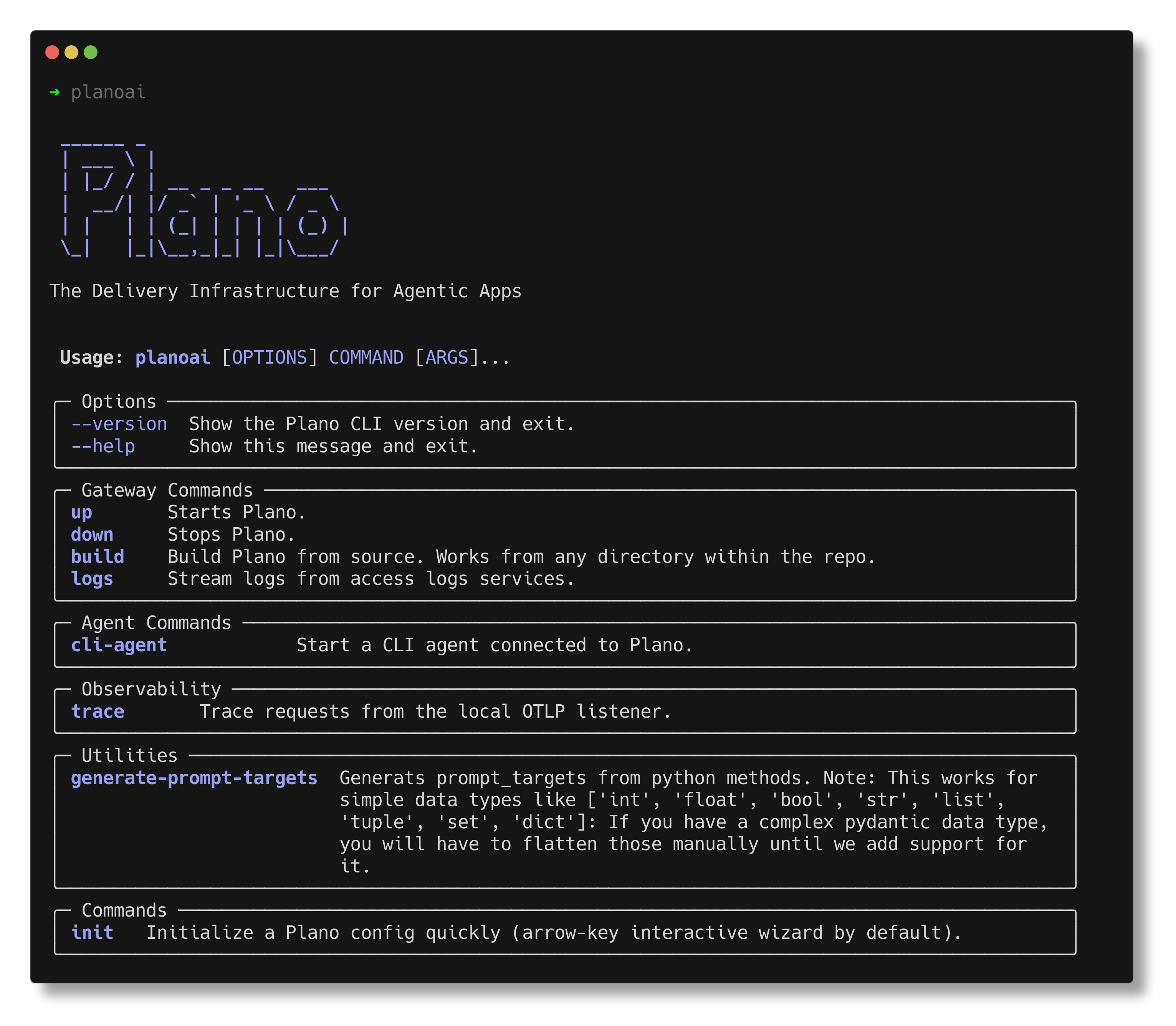
This reference documents the full planoai command-line interface for day-to-day development, local testing, and operational workflows.
Use this page as the canonical source for command syntax, options, and recommended usage patterns.
Global CLI Usage
Command
$ planoai [COMMAND] [OPTIONS]
Common global options
--help: Show the top-level command menu.--version: Show installed CLI version and update status.
Help patterns
$ planoai --help
$ planoai trace --help
$ planoai init --help
planoai up
Start Plano using a configuration file.
Synopsis
$ planoai up [FILE] [--path <dir>] [--foreground] [--with-tracing] [--tracing-port <port>]
Arguments
FILE(optional): explicit path to config file.
Options
--path <dir>: directory to search for config (default.).--foreground: run Plano in foreground.--with-tracing: start local OTLP/gRPC trace collector.--tracing-port <port>: collector port (default4317).
Note
If you use --with-tracing, ensure that port 4317 is free and not already in use by Jaeger or any other observability services or processes. If port 4317 is occupied, the command will fail to start the trace collector.
Examples
$ planoai up config.yaml
$ planoai up --path ./deploy
$ planoai up --with-tracing
$ planoai up --with-tracing --tracing-port 4318
planoai down
Stop Plano (container/process stack managed by the CLI).
Synopsis
$ planoai down
planoai build
Build Plano Docker image from repository source.
Synopsis
$ planoai build
planoai logs
Stream Plano logs.
Synopsis
$ planoai logs [--follow] [--debug]
Options
--follow: stream logs continuously.--debug: include additional gateway/debug streams.
Examples
$ planoai logs
$ planoai logs --follow
$ planoai logs --follow --debug
planoai init
Generate a new config.yaml using an interactive wizard, built-in templates, or a clean empty file.
Synopsis
$ planoai init [--template <id> | --clean] [--output <path>] [--force] [--list-templates]
Options
--template <id>: create config from a built-in template id.--clean: create an empty config file.--output, -o <path>: output path (defaultconfig.yaml).--force: overwrite existing output file.--list-templates: print available template IDs and exit.
Examples
$ planoai init
$ planoai init --list-templates
$ planoai init --template coding_agent_routing
$ planoai init --clean --output ./config/config.yaml
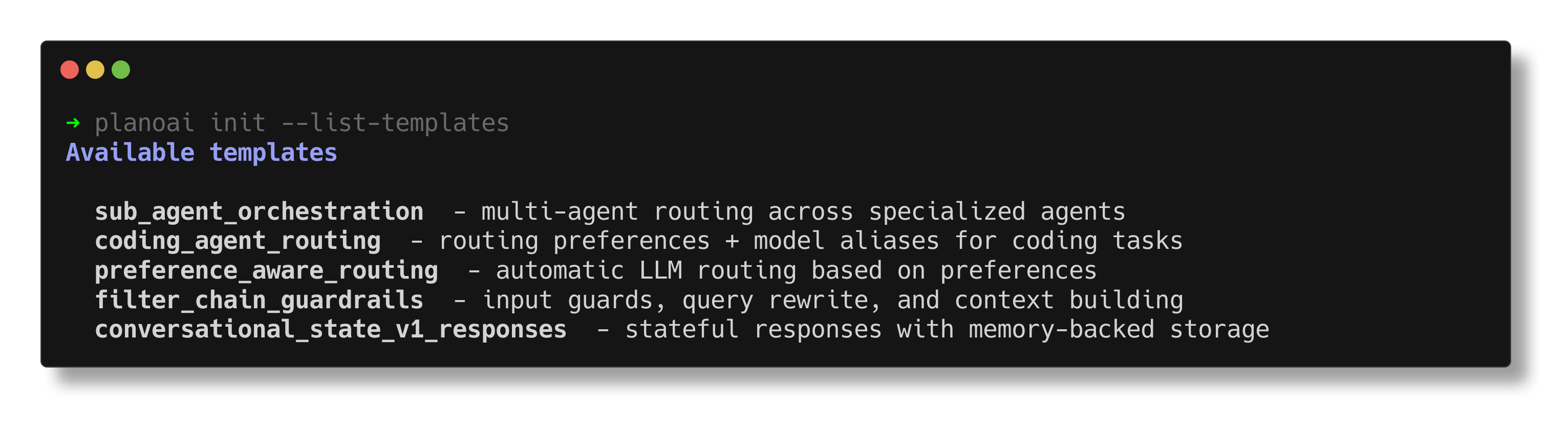
planoai init --list-templates showing built-in starter templates.
planoai trace
Inspect request traces from the local OTLP listener.
Synopsis
$ planoai trace [TARGET] [OPTIONS]
Targets
last(default): show most recent trace.any: consider all traces (interactive selection when terminal supports it).listen: start local OTLP listener.down: stop background listener.<trace-id>: full 32-hex trace id.<short-id>: first 8 hex chars of trace id.
Display options
--filter <pattern>: keep only matching attribute keys (supports*via “glob” syntax).--where <key=value>: locate traces containing key/value (repeatable, AND semantics).--list: list trace IDs instead of full trace output (use with--no-interactiveto fetch plain-text trace IDs only).--no-interactive: disable interactive selection prompts.--limit <n>: limit returned traces.--since <window>: lookback window such as5m,2h,1d.--json: emit JSON payloads.--verbose,-v: show full attribute output (disable compact trimming). Useful for debugging internal attributes.
Listener options (for ``TARGET=listen``)
--host <host>: bind host (default0.0.0.0).--port <port>: bind port (default4317).
Note
When using listen, ensure that port 4317 is free and not already in use by Jaeger or any other observability services or processes. If port 4317 is occupied, the command will fail to start the trace collector. You cannot use other services on the same port when running.
Environment
PLANO_TRACE_PORT: query port used byplanoai tracewhen reading traces (default4317).
Examples
# Start/stop listener
$ planoai trace listen
$ planoai trace down

# Basic inspection
$ planoai trace
$ planoai trace 7f4e9a1c
$ planoai trace 7f4e9a1c0d9d4a0bb9bf5a8a7d13f62a

# Filtering and automation
$ planoai trace --where llm.model=openai/gpt-5.2 --since 30m
$ planoai trace --filter "http.*"
$ planoai trace --list --limit 5
$ planoai trace --where http.status_code=500 --json
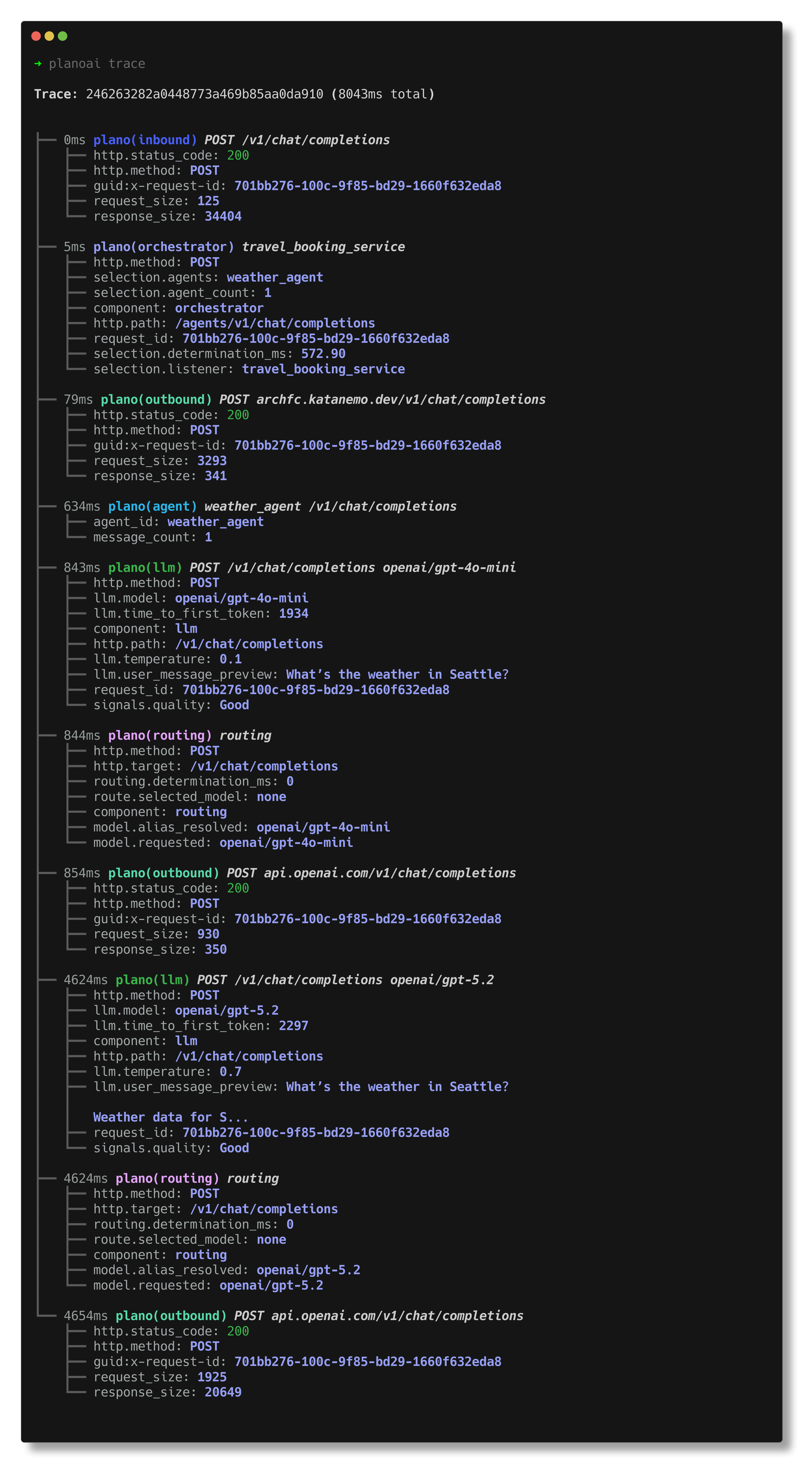
planoai trace command showing trace inspection and filtering capabilities.
Operational notes
--hostand--portare valid only whenTARGETislisten.--listcannot be combined with a specific trace-id target.
planoai cli_agent
Start an interactive CLI agent session against a running Plano deployment.
Synopsis
$ planoai cli_agent claude [FILE] [--path <dir>] [--settings '<json>']
Arguments
type: currentlyclaude.FILE(optional): config file path.
Options
--path <dir>: directory containing config file.--settings <json>: JSON settings payload for agent startup.